 Call Recorder
Beginning in Android 6.0 (API level 23), users grant permissions to apps while the app is running, not when they install the app. This approach streamlines the app install process, since the user does not need to grant permissions when they install or update the app.
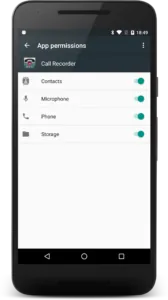
In order to work properly all requested permissions have to be granted to application!
Call recorder application uses permissions for following reasons:
- record audio – uses for recording phone calls;
- access photos, media and files – uses to be able to save recorded conversations;
- make and manage phone calls – uses to know when start and stop recording. Application does not do any calls;
- access your contacts – uses to get recorded contact name and photo from your contact. Contact information stored only on your phone and is not sending anywhere.
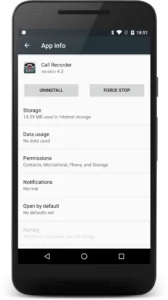
It’s also possible to grant or remove permissions for application manuały. For this you have to:
- Go to Phone Settings -> Manage applications.
- Next, Select Call Recorder in the apps list.
- Select Permissions
- Grand/remove permissions