 Volume Control
Do Not Disturb mode
Starting Android 6.0 (Marshmallow) to be able to change the Silent (Do Not Disturb) mode in your device you have to grant permissions to the Volume Control application.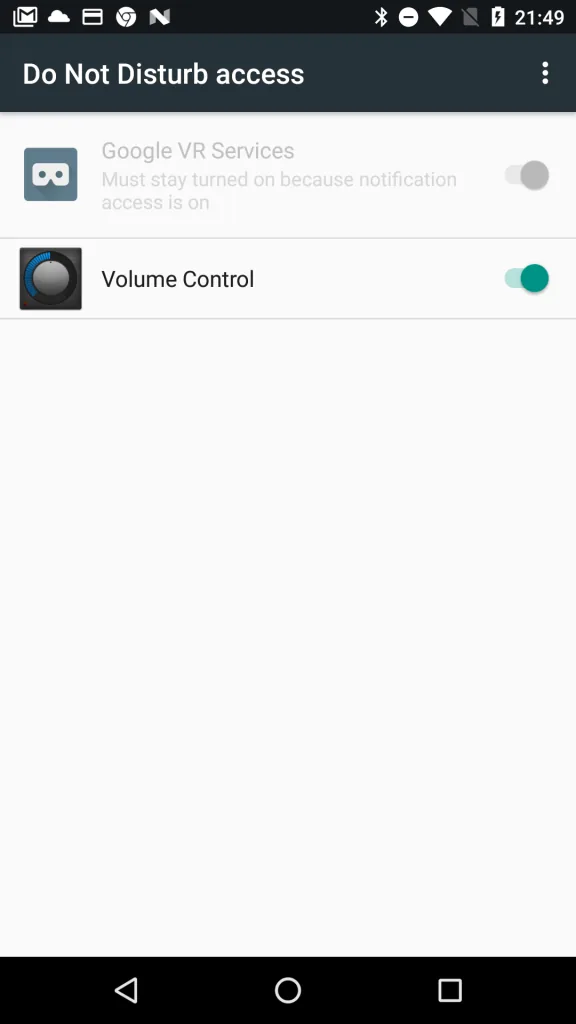
How to use Scheduler?
There are 3 easy steps to configure your volume scheduler:
- Make sure you’ve already added some volume profiles that you would like to use.
- Then press on “+” button in the top right corner to add a schedule. You are able to select the profile and start time when this profile will be activated. If you want to set end time for the selected profile – you have to add a new schedule with the new time and profile. For instance, look at the picture:
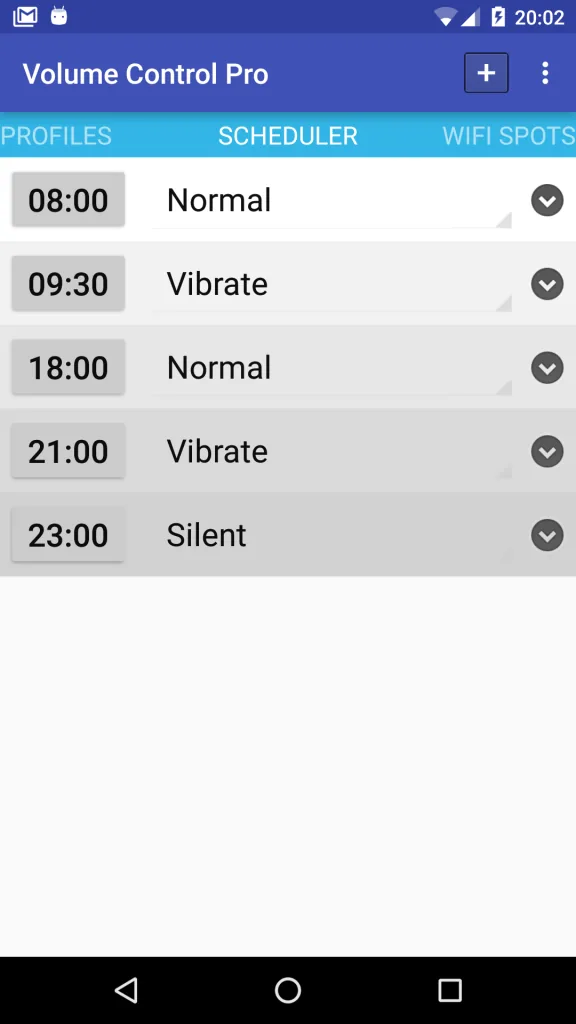
- from 8:00 till 9:30 – Normal profile will be set
- from 9:30 till 18-00 – Vibrate
- from 18:00 till 21-00 – Normal
- from 21:00 till 23-00 – Vibrate
- from 23-00 till 8-00 – Silent
Nothing found. Try another word or write to us below.